

Introduction
Running a Shopify store in the UK comes with its own set of challenges. From managing customer queries to providing fast support and boosting sales, small business owners often struggle to keep up — especially during peak hours. Integrating AI chatbots into your Shopify store offers a practical solution, helping you provide instant support, enhance customer engagement, and increase conversions while freeing up valuable time for your team.
Table Of Content
- Introduction
- Why AI Chatbots Matter for Shopify Stores
- Real Challenges with Current Chatbots
- Popular AI Chatbot Options for Shopify
- How to Integrate AI Chatbots into Your Shopify Store
- Shopify Personalisation E-Commerce Tips with AI Chatbots
- Optimising Shopify Chatbots for the UK Market
- Ongoing Maintenance and Support
- Conclusion & CTA
Why AI Chatbots Matter for Shopify Stores
AI chatbots are no longer a futuristic concept; they have become an essential tool for e-commerce success. According to TechReviewer.co, around 80% of e-commerce sites now use chatbots to improve engagement, demonstrating their growing importance in the online retail landscape. For Shopify store owners in the UK, chatbots can dramatically enhance both customer support and sales outcomes.
Improving Customer Support
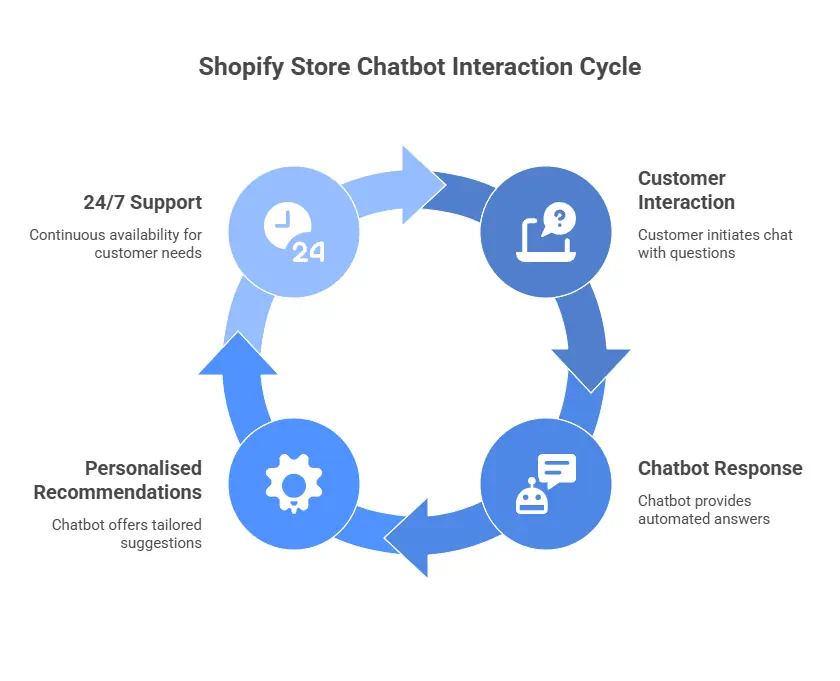
One of the biggest advantages of AI chatbots is their ability to provide instant responses to customer inquiries. Long wait times frustrate shoppers and can lead to abandoned carts. With chatbots, your store can offer 24/7 support, answering questions about products, shipping, and returns even when your team isn’t online. This ensures customers feel valued and supported at every step of their shopping journey.
Increasing Sales & Personalisation
AI chatbots aren’t just for support — they’re powerful sales tools. By analysing customer browsing behaviour and purchase history, chatbots can suggest relevant products, cross-sell, or upsell items, increasing average order value. Personalised recommendations make shoppers feel understood and catered to, which is particularly effective in the UK market, where customers appreciate tailored service and relevant promotions.
Real Challenges with Current Chatbots
While AI chatbots are transforming how Shopify stores interact with customers, they’re not without their challenges. Insights gathered from Reddit, YouTube, and other online communities reveal that many UK merchants still struggle to find the right balance between automation and authentic customer communication. Understanding these real-world issues can help store owners make smarter chatbot integration decisions.
Maintaining Control Over Conversations
A common concern among Shopify merchants is losing the human touch. On Reddit and social media, many sellers express frustration with chatbot tools that automatically generate responses without room for manual oversight.
Rather than relying on full automation, merchants want chatbots that generate draft answers — allowing staff to review and edit replies before sending. This approach maintains consistency with the store’s brand voice while still saving time. It’s a middle ground between speed and personalisation, ensuring that the tone remains friendly, helpful, and human-like.
Personalisation & Brand Voice
Another major discussion point is personalisation. Merchants want chatbots that adapt to the brand’s tone and communication style rather than giving generic replies. A conversational AI that learns from real customer interactions and mirrors your unique store personality helps build trust and loyalty. Customers are far more likely to engage with a chatbot that feels like part of your team rather than a faceless robot.
Integration Issues
Some Shopify users also highlight technical challenges. For instance, slow response times from Shopify’s built-in live chat have pushed many to explore AI-based alternatives. Others note that not all chatbots handle large product catalogues or complex inventories well — particularly stores with hundreds of SKUs or multiple product variants.
These integration and scalability issues emphasise the need to choose a chatbot solution that aligns with your business size, traffic volume, and long-term goals.
Popular AI Chatbot Options for Shopify
When it comes to choosing the right chatbot, the Shopify App Store offers a wide range of solutions — each with its strengths and limitations. Below are some of the most discussed and tested options among UK merchants, based on real user experiences and reviews.
Key Features & Benefits
- Tidio: Known for its simple setup and user-friendly interface, Tidio allows Shopify merchants to combine live chat and AI automation seamlessly.
- Gorgias: Ideal for larger stores managing multi-channel support, Gorgias integrates email, chat, and social media inquiries in one platform.
- Shopify Inbox: A free option from Shopify itself, providing quick setup and built-in tools for automated messages, though limited in advanced AI functions.
- Flyweight AI Chatbot: Praised by users for its fast, accurate responses and natural conversational tone. It saves time for support teams by handling repetitive queries.
- PX AI Chatbot: Offers 24/7 support and personalised product recommendations. Users appreciate its ability to interact in a more “human-like” way.
- Chatty AI Chatbot: Integrates multiple communication channels (chat, email, social) and helps track orders or suggest products, all from one dashboard.
Each of these tools focuses on different goals — from automation and sales to customer experience — so the best option depends on your store’s specific needs.
Limitations to Consider
Despite the advantages, some apps have drawbacks. Merchants report that limited phone or email support can be frustrating during setup, and certain chatbots require ongoing training for accurate product suggestions. Moreover, not every chatbot integrates smoothly with custom themes or third-party apps, so testing is essential before rolling out store-wide.
A good practice is to start with a trial period and monitor response accuracy, customer satisfaction, and conversion impact before committing to a paid plan.
How to Integrate AI Chatbots into Your Shopify Store
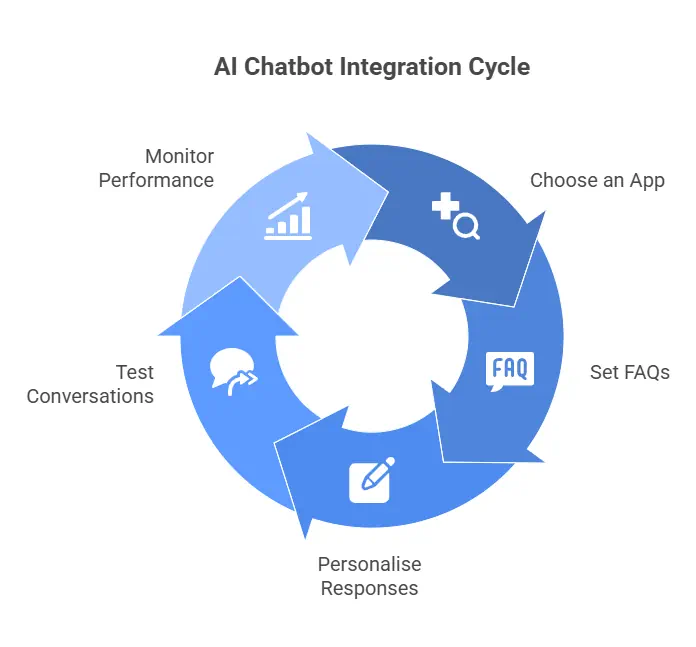
Adding an AI chatbot to your Shopify store may sound complex, but most tools are designed for easy integration — even if you’re not a developer. The process can usually be completed in under an hour, and the benefits start showing almost immediately. Here’s a practical, step-by-step guide to help you get started.
1. Choose the Right Chatbot App
Begin by selecting a chatbot that suits your store’s size and customer interaction style. For example, Tidio and Shopify Inbox are ideal for small to medium-sized UK businesses, while Gorgias or Chatty AI work better for stores managing higher volumes of support requests. When evaluating options, check for features like multilingual support, 24/7 availability, and integration with your marketing tools or CRM.
2. Set Up FAQs and Automated Responses
Once the app is installed, create a list of frequently asked questions (FAQs) your customers often raise — such as shipping policies, return procedures, and order tracking. Configure your chatbot to automatically respond to these common queries.
Automation saves time and ensures consistency, but keep your tone warm and conversational. For instance, instead of a robotic “Your order has been shipped,” try, “Great news! Your order is on its way 🚚 — here’s your tracking link.”
3. Personalise Chatbot Responses
To make your chatbot truly valuable, tailor its responses to your brand’s voice and your audience’s needs. Most AI chatbots allow you to adjust language, greetings, and even emojis.
Incorporate customer data — such as past purchases, location, and browsing behaviour — to offer personalised recommendations. For UK shoppers, that might include highlighting free delivery thresholds, local promotions, or upcoming seasonal offers.
4. Test Conversations Before Going Live
Before launching, conduct several test chats to ensure your bot handles real-world queries accurately. Encourage your team to test different conversation paths and edge cases (e.g., spelling errors or slang). The goal is to create a smooth, natural user experience.
5. Monitor and Optimise Regularly
After launch, use the analytics dashboard within your chatbot app to track key metrics such as response accuracy, customer satisfaction scores, and conversion rates. Regularly refine scripts, add new FAQs, and review customer feedback to improve the bot’s effectiveness over time.
Shopify Personalisation E-Commerce Tips with AI Chatbots
Personalisation is the key to modern e-commerce success — and AI chatbots are a powerful way to deliver it. With intelligent use of data, your chatbot can act like a virtual shopping assistant, guiding each visitor towards the right products and offers.
Use Customer Data for Tailored Recommendations
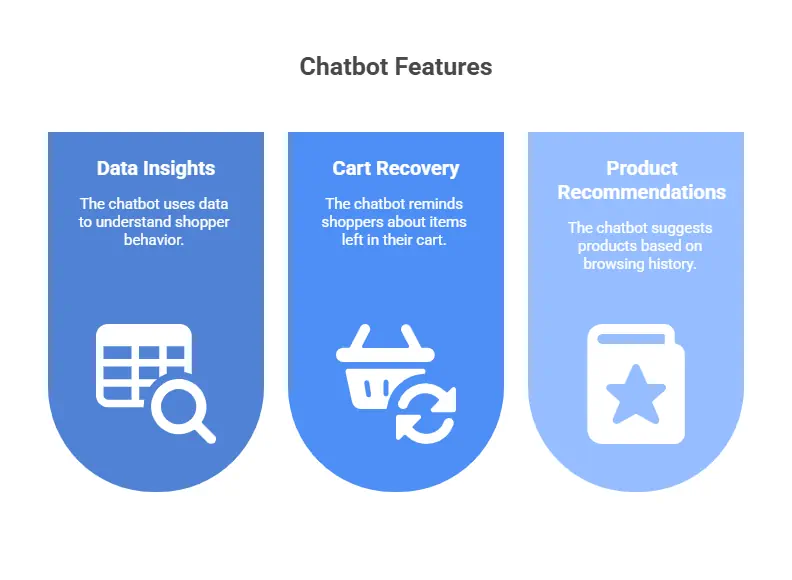
AI chatbots can analyse data such as browsing history, previous purchases, and items left in the cart. Using these insights, the bot can suggest complementary products, highlight promotions, or remind customers about items they viewed earlier.
For example, if a UK shopper buys a coat, your chatbot could suggest matching accessories or offer a limited-time discount on boots.
Recover Abandoned Carts Automatically
Abandoned carts are a common frustration for Shopify merchants, but AI chatbots can help reclaim lost sales. When a customer leaves without checking out, your chatbot can automatically send a friendly reminder or offer a small incentive, such as “Still thinking about it? Here’s 10% off to complete your order today!”
This gentle nudge can significantly boost conversion rates, especially for time-sensitive offers.
Offer a Seamless Omnichannel Experience
Many UK customers now shop across multiple channels — mobile, desktop, and social media. Integrating your chatbot with platforms like Facebook Messenger or WhatsApp ensures that shoppers can reach you wherever they are. Consistent messaging and tone across these touchpoints help strengthen brand recognition and trust.
Highlight UK-Specific Offers and Language
To truly connect with local audiences, your chatbot should communicate naturally using British English and reference UK-specific details such as next-day delivery or local events. This subtle localisation adds authenticity and relevance, improving the overall customer experience.
Optimising Shopify Chatbots for the UK Market
Integrating an AI chatbot is just the beginning — to truly maximise its impact, you need to tailor it for the UK market. British shoppers have distinct expectations when it comes to online service: they value politeness, quick support, and clear communication. By localising your chatbot’s behaviour and tone, you can turn ordinary interactions into memorable customer experiences.
Use UK Language, Currency, and Context
A common mistake some e-commerce stores make is leaving chatbots set to US English or international formats. Always configure your chatbot to use British English spelling, UK currency (£), and regional time zones.
For example, ensure your chatbot says “colour” instead of “color” and refers to “delivery” instead of “shipping”. These small linguistic touches may seem minor but they create a smoother and more relatable experience for UK customers.
Customise Tone and Phrasing for Local Audiences
UK customers generally appreciate a polite, conversational tone — formal enough to sound professional but not robotic. Program your chatbot to use friendly greetings like “Hiya” or “How can I help today?” when appropriate, especially if your brand voice is relaxed or lifestyle-focused.
If your store targets more premium shoppers, opt for a courteous, polished tone such as “Good afternoon, how may I assist you today?”. Matching your chatbot’s voice to your brand image ensures consistency across all touchpoints.
Promote Local Offers and Events
AI chatbots can also be powerful marketing tools for region-specific promotions. For instance, you might run special offers for Black Friday UK, Boxing Day, or local summer sales. Your chatbot can automatically highlight these events and remind users of ongoing deals or restocks, helping you drive engagement during key retail periods.
Measure and Optimise Performance
Track how your chatbot performs with UK users by monitoring key performance indicators (KPIs) such as:
- Average response time
- Conversion rate after chatbot interaction
- Customer satisfaction or feedback ratings
- Repeat purchase rates
Use this data to fine-tune your chatbot’s messaging and identify where conversations drop off. Continuous improvement ensures your chatbot evolves alongside your store’s growth and customer needs.
Ongoing Maintenance and Support
Launching a chatbot isn’t a one-and-done task — maintaining it properly ensures long-term success. As your Shopify store evolves, so should your chatbot. Ongoing updates, testing, and monitoring are essential to keep it effective and aligned with your business goals.
Regularly Update Chatbot Scripts
Your chatbot’s FAQs, responses, and tone may need updating as your products, services, or policies change. Schedule a review every month or after each major campaign to ensure that information like delivery times or return policies remains accurate. Outdated responses can frustrate customers and erode trust.
Monitor Performance and Customer Feedback
Check your chatbot’s analytics dashboard to see how it’s performing. Metrics like engagement rates, conversation duration, and unresolved queries help you understand where improvements are needed.
Encourage customers to rate their chatbot experience at the end of each chat. This simple feedback loop provides valuable insights into whether your bot is meeting expectations or needs refinement.
Keep Apps and Integrations Up to Date
Shopify updates itself regularly, but your third-party apps and integrations may require manual maintenance. Make sure your chatbot app, along with any connected marketing or CRM tools, stays compatible with the latest Shopify version. This prevents bugs, downtime, and data sync issues.
Train and Adjust for New Scenarios
As customer behaviour evolves, your chatbot must adapt. Update scripts to handle seasonal questions, trending products, or new service channels. For example, if more of your UK customers start messaging via WhatsApp, integrate that platform into your chatbot’s workflow to provide consistent support across all touchpoints.
Conclusion & CTA
AI chatbots have become one of the most valuable tools for modern Shopify stores, especially for small businesses and entrepreneurs across the UK. By providing instant, 24/7 support, offering personalised product recommendations, and maintaining a consistent brand voice, they not only improve customer experience but also directly boost sales and retention.
Integrating a chatbot isn’t just about automation — it’s about creating meaningful, timely interactions that make your customers feel heard and valued. Whether you’re using tools like Tidio, Flyweight AI, or Shopify Inbox, success comes from thoughtful setup, ongoing optimisation, and localisation for the UK audience.
As online competition continues to grow, UK merchants who embrace AI-driven customer engagement will have a clear edge. From handling thousands of daily queries to supporting your marketing efforts, the right chatbot can transform how your Shopify store operates — saving time while increasing revenue.
If you’re looking to implement a professional, high-performing chatbot or want help with broader Shopify development services in the UK, consider partnering with DataXpie. Our experts can assist with Shopify chatbot integration, speed optimisation, custom theme development, and ongoing support — helping your business deliver faster, smarter, and more personal customer experiences.
👉 Ready to elevate your Shopify store?
Let DataXpie help you integrate AI-driven chatbots and take your UK e-commerce success to the next level.