

Introduction
Running a Shopify store in the UK can be incredibly rewarding — but if your website takes too long to load, potential customers might leave before they even see your products. In today’s fast-paced online market, speed isn’t just a technical detail; it’s a key factor that directly affects sales, SEO rankings, and customer satisfaction.
Table Of Content
- Introduction
- Why Site Speed Matters for Shopify Stores (UK)
- Common Causes of a Slow Shopify Store
- Tools to Analyse Your Store Speed
- Choosing a High-Performance Theme
- Implementing AI Chatbots on Shopify (Sub-Blog)
- Optimising Shopify for SEO (USPs)
- Ongoing Maintenance and Support
- Conclusion & Call to Action
For small businesses and entrepreneurs across the UK, this guide walks you through practical, easy-to-implement ways to make your Shopify store faster, smoother, and more profitable. Whether you’re managing your store yourself or working with a developer, you’ll find clear steps here to deliver a faster, high-performing shopping experience.
Why Site Speed Matters for Shopify Stores (UK)
A slow Shopify store doesn’t just frustrate visitors — it costs you sales. Studies show that a delay of just three seconds can increase bounce rates by around 32% (charle.co.uk), while slower sites lose as much as 45% of potential buyers. That’s a huge gap, especially for small UK businesses competing with major e-commerce brands that invest heavily in performance optimisation.
Speed is directly tied to customer experience. A faster Shopify store helps shoppers find what they want quickly, view multiple products, and complete purchases without interruption. In the UK, where mobile shopping has become the norm, users expect seamless, instant access. According to techreviewer.co, most UK customers browse online stores using mobile devices — meaning that every extra second of loading time could push them towards a competitor.
Interestingly, insights from Reddit and Shopify developer communities reveal that Shopify often feels faster than it technically is because it uses perceptual speed improvements. In other words, your content may appear usable before the full page has finished loading — but if you optimise only for raw speed without considering this perceived experience, you might still lose engagement. So the goal isn’t just to make the store “load faster,” but to make it feel faster to users.
When your Shopify store loads quickly, visitors stay longer, view more pages, and are far more likely to buy — boosting both conversion rates and repeat business.
Consequences of Slow Loading
Slow loading times can quietly undermine your entire e-commerce operation. A lagging Shopify store sends the wrong message — it makes your brand appear outdated or unreliable. Here’s what typically happens when performance is poor:
- Higher bounce rates: Users leave before pages fully load.
- Lower conversion rates: Frustrated visitors abandon carts and skip checkout.
- Reduced trust: A slow site creates doubts about security and professionalism.
- Negative mobile experience: With mobile now dominating UK online shopping, even a one-second delay can mean losing customers mid-scroll (techreviewer.co).
From Quora and social discussions, many UK store owners have shared that speed issues often stem from theme complexity and content overload — not Shopify’s servers. This means that many fixes are within your control, from trimming app usage to compressing media files and simplifying layout designs.
Mobile Checkout Focus
Your Shopify store’s mobile checkout experience can make or break sales. More than 58% of all UK e-commerce traffic comes from smartphones (techreviewer.co), yet checkout remains one of the slowest and most frustrating parts of many Shopify stores.
Community feedback highlights a few key actions that consistently improve mobile checkout speed and conversion:
- Use a streamlined, single-page checkout – fewer clicks mean faster transactions.
- Enable Shopify Pay or Express Checkout – returning customers can check out in seconds, often improving conversions by 3–5%.
- Remove unnecessary scripts – extra event listeners or analytics scripts attached to the checkout button can slow down response time.
A faster mobile checkout doesn’t just help with performance — it builds trust. UK shoppers value convenience, and when your checkout process feels instant and reliable, they’re far more likely to complete their purchase and return again.
Common Causes of a Slow Shopify Store
A sluggish Shopify store can have several hidden performance bottlenecks. Many UK entrepreneurs assume it’s a hosting or Shopify platform issue — but in reality, most problems come from how the store is built, what apps it uses, and how content is managed.
Below are the main culprits that typically slow down your store — and how to fix them.
Optimise Images and Videos
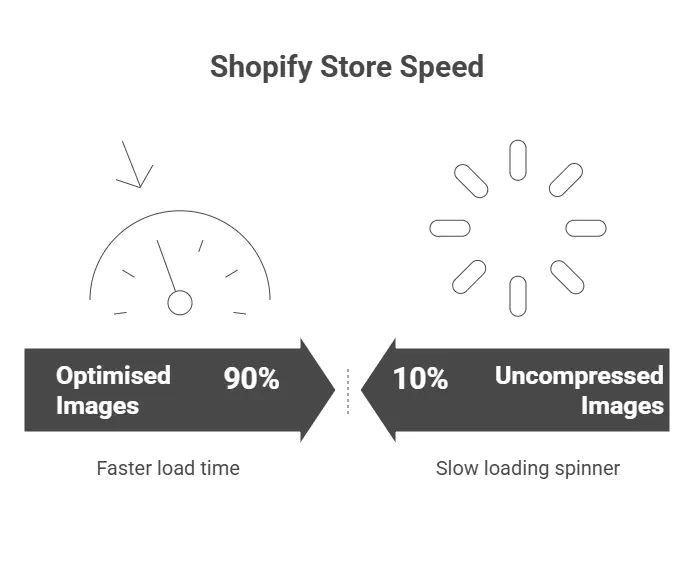
Images are the most common reason for a slow Shopify store, especially on mobile. Research shows that only about 38.6% of Shopify stores serve correctly sized images for mobile devices. This means more than half of stores are loading large desktop images even for small mobile screens — wasting bandwidth and frustrating users.
To fix this:
- Resize images for mobile and desktop separately.
- Use efficient formats like WebP (smaller file size, same quality).
- Implement lazy loading, so images load only when visible on screen.
- Compress files before uploading (TinyPNG or built-in Shopify apps can help).
From Reddit discussions, store owners say automated apps that optimise and rename images can help — but they aren’t a silver bullet. The biggest improvements come from addressing theme bloat and ensuring product images aren’t unnecessarily large.
Minify Code and Limit Apps
Every app you install on your Shopify store adds code — often JavaScript or CSS — that must load with every page. The more apps, widgets, and trackers you have, the slower your site becomes.
Tips to keep your code clean and fast:
- Minify CSS and JavaScript: Combine and compress files to reduce the number of HTTP requests.
- Remove unused apps or third-party widgets: Many apps inject scripts even when they’re not active.
- Defer non-essential JavaScript so key content loads first.
- Use icon sprites instead of multiple small images to cut requests.
As shared on Quora and YouTube developer channels, store owners often notice that uninstalling just three or four unnecessary apps can reduce load times by several seconds. These small adjustments have an outsized impact, especially for stores with high traffic.
Tools to Analyse Your Store Speed
Before you can improve your Shopify store’s performance, you need to know what’s actually slowing it down. Thankfully, there are several free and reliable tools that give you data-driven insights — not just guesses.
Here’s how to start diagnosing your store’s speed problems:
- Shopify Speed Report
- Found in your Shopify admin dashboard, this gives a quick overview of your current speed score.
- It compares your store’s performance to other Shopify stores of similar size.
- Great for tracking progress over time, but it’s not as detailed as third-party tools.
- Google PageSpeed Insights
- Provides mobile and desktop performance scores.
- Offers specific recommendations such as image compression, script deferral, and caching improvements.
- Pay attention to First Contentful Paint (FCP) and Largest Contentful Paint (LCP) — these are key for user experience.
- GTmetrix & Lighthouse
- Ideal for developers and DIY store owners who want a deeper look.
- Show “filmstrips” of how your store loads step-by-step, so you can see exactly where the delay happens.
- Lighthouse scores are also used by Google Chrome DevTools.
- WebPageTest.org
- Offers detailed “waterfall charts” showing every file your store loads and how long each takes.
- Reveals hidden scripts or third-party calls from slow apps.
Community insights show that the average Shopify store takes around 22 seconds to fully load, but the first meaningful content appears around 4.9 seconds. This means shoppers feel the site is usable long before it’s technically finished loading — reinforcing that perceived speed is as important as actual load time.
Choosing a High-Performance Theme
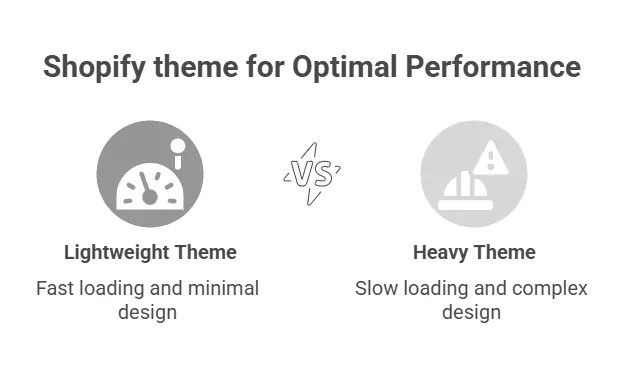
Your Shopify store’s theme is more than just a design choice — it’s the foundation of your site’s performance. A beautiful theme that loads slowly can drive customers away before they even see your products. Conversely, a lightweight, efficient theme helps pages load instantly and creates a smooth shopping experience.
Shopify’s default Dawn theme is a great example of balance — it’s clean, mobile-first, and optimised for fast loading across devices. For small UK businesses, it’s often the smartest starting point because it avoids the heavy animations and large scripts that slow down many premium themes.
What Makes a Theme “High-Performance”
A well-optimised theme should:
- Load quickly on mobile (under 3 seconds ideal).
- Minimise external scripts and CSS files.
- Use system fonts instead of multiple web font files.
- Defer non-critical elements like animations or image sliders.
- Be regularly updated by the developer to maintain compatibility with Shopify’s latest version.
Custom Themes: Worth It or Not?
Custom themes can be an attractive option for branding — but they’re not always the most efficient. According to techreviewer.co, a fully custom Shopify theme can cost up to 10× more than using a prebuilt, optimised template. For small UK businesses, the better route is often to customise a lightweight theme rather than start from scratch.
If you already have a theme, audit it for unnecessary scripts, unused sections, or large media files. Every second saved improves your SEO rankings and conversion rate.
Implementing AI Chatbots on Shopify (Sub-Blog)
Adding an AI chatbot to your Shopify store isn’t just about automating responses — it’s about improving engagement, speeding up customer support, and increasing conversions. In 2025, over 80% of e-commerce sites are expected to use chatbots in some form (techreviewer.co), and many UK merchants are seeing clear results from this simple integration.
Why Chatbots Matter for Store Speed and Support
When customers can get quick answers without waiting for email replies, they stay longer on your site and are more likely to complete their purchase. Chatbots also reduce bounce rates by providing real-time help on product details, shipping, and returns.
Additionally, smart chatbots can be configured to appear only after the main content has loaded — meaning they don’t slow down your Shopify store. This ensures that your speed optimisation efforts remain intact while still enhancing user experience.
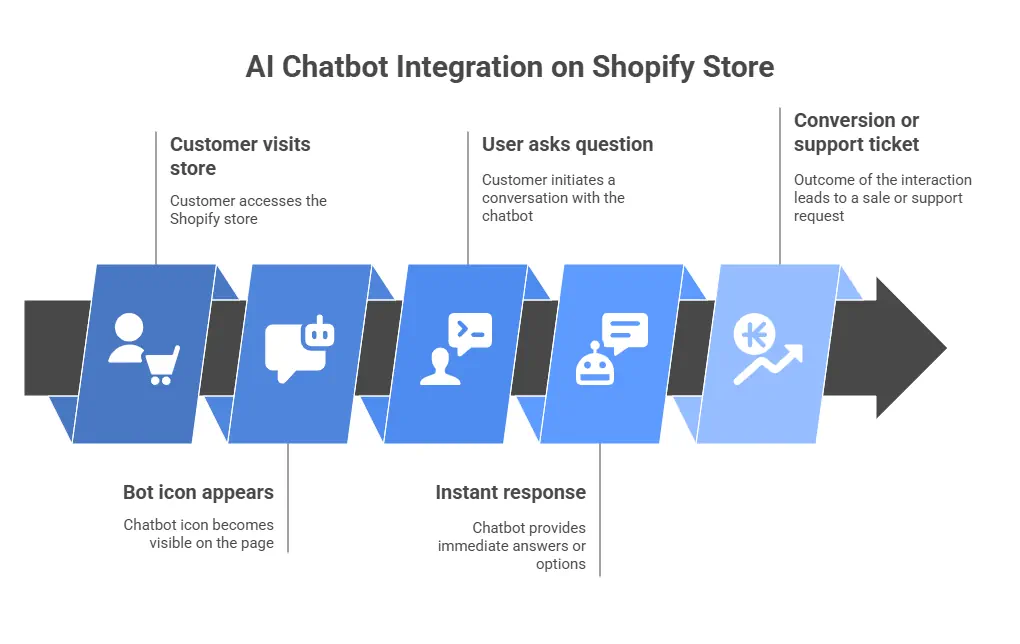
Steps to Add a Chatbot That Works for UK Customers
- Choose a trusted chatbot app – Options like Tidio, Re:amaze, or Shopify Inbox integrate smoothly with your store.
- Set up key FAQs – Focus on common UK questions such as delivery times, local shipping options, and returns.
- Enable 24/7 automated support – AI bots can answer instantly when your team is offline.
- Personalise chatbot tone – Use British English spelling and friendly messaging to align with your brand voice.
- Track analytics – Monitor response times, satisfaction scores, and conversion improvements.
Community discussions from YouTube and Reddit show that integrating a chatbot can reduce cart abandonment by up to 20%, especially for mobile users who want quick reassurance before buying.
Optimising Shopify for SEO (USPs)
A fast Shopify store not only improves customer experience — it also boosts your visibility on Google. Search engines like Google reward sites that load quickly, are mobile-friendly, and have clean, structured content. For small UK businesses, this means every technical improvement directly contributes to more organic traffic and better conversion rates.
Use UK-Specific Keywords and Local SEO
If your audience is primarily in the UK, it’s crucial to optimise for local search intent. Include “UK” or regional terms in your product titles, meta descriptions, and page URLs — for example, “handmade candles UK” or “Shopify development agency London.”
Tips for better on-page SEO:
- Use UK spelling and local terms consistently (e.g., “optimisation” not “optimization”).
- Add alt text to images — improves accessibility and helps Google index visuals.
- Write descriptive meta titles and meta descriptions that include target keywords.
- Use Shopify’s built-in SEO fields in the product editor to ensure each page is optimised.
Leverage Shopify’s Built-In Marketing Features
Shopify already includes several SEO-friendly tools that many store owners overlook. For example, automated abandoned cart emails can recover up to 8% of lost sales (charle.co.uk). You can also:
- Enable automatic sitemaps (Shopify generates them for Google).
- Use structured data and product schema (Shopify handles much of this automatically).
- Set up redirects for deleted or renamed products to avoid broken links.
Don’t forget to link your store to Google Search Console and Google Analytics 4 (GA4) — this helps track search performance and identify which pages load too slowly.
In short, SEO optimisation isn’t separate from speed optimisation. A lightweight, quick-loading site is rewarded with higher rankings and more traffic — making both goals mutually beneficial.
Ongoing Maintenance and Support
Speed optimisation isn’t a one-time job — it’s an ongoing process. Shopify handles most security and core updates automatically, but you still need to keep an eye on apps, images, and overall performance.
Regular Maintenance Checklist for Your Shopify Store
To keep your Shopify store running smoothly year-round:
- Check app performance monthly – Remove or replace slow or unused apps.
- Re-audit images and media every quarter – Compress new uploads and test lazy-loading.
- Monitor speed using Google PageSpeed Insights – Watch for dips in mobile performance.
- Backup theme and data before big updates.
- Keep product pages lean – Avoid embedding large videos directly; host them externally (e.g., YouTube).
- Test checkout and payment speed regularly – Ensure Express Checkout remains functional.
When to Get Professional Help
Even the best DIY efforts can only go so far. If your Shopify store still feels sluggish despite optimising images, apps, and themes, it might be time to bring in experts. Professional Shopify developers can:
- Custom-audit your theme’s performance.
- Identify and remove unused or duplicate code.
- Fine-tune your checkout scripts and liquid templates.
- Implement advanced caching and server-side optimisations.
By combining professional development support with your own ongoing maintenance, you ensure your store stays fast, secure, and competitive — no matter how many products or visitors you add.
Conclusion & Call to Action
A fast Shopify store isn’t just about impressing visitors — it’s about keeping them. Speed affects everything: how your pages rank on Google, how long shoppers stay, and how often they buy. In the UK’s increasingly competitive e-commerce market, even a one-second improvement can translate into a noticeable boost in revenue and customer satisfaction.
By following this guide — from compressing images and reducing app clutter, to choosing a lightweight theme and maintaining performance regularly — you can deliver a store that loads quickly, looks professional, and converts more visitors into loyal customers.
If you’re ready to take your Shopify store performance to the next level, consider working with the Shopify development specialists at DataXpie. Our team can help with speed optimisation, custom development, AI chatbot integration, and SEO improvements tailored for UK businesses.