

Introduction: The Website Platform Dilemma
Choosing between WordPress vs Wix can feel like deciding between freedom and simplicity. Both are market leaders, both promise “no stress” website creation — but when your business starts growing, the differences become impossible to ignore.
Table Of Content
- Introduction: The Website Platform Dilemma
- Cost Comparison 2025: Short-Term vs Long-Term Value
- Ease of Use: Speed vs Scalability
- Design Flexibility & Creative Control
- Feature Ecosystem: Apps vs Plugins
- SEO & Marketing Power: Where Growth Happens
- eCommerce & Growth Scalability
- Data Ownership & Portability
- Maintenance & Security: Who Holds the Keys
- Real Business Stories: The Migration Moment
- Choosing the Right Platform for Your Business
- Why Partner with DataXpie
- Conclusion: The Smart Move for Sustainable Growth
In 2025, small businesses are no longer just looking for a website; they’re looking for a digital growth platform. Whether you’re launching your first site or scaling an established brand, the choice between Wix’s all-in-one convenience and WordPress’s limitless flexibility will impact your costs, visibility, and scalability for years.
In this guide, we’ll break down:
- The true cost differences between WordPress vs Wix in 2025
- Which platform scales better as your business grows
- What real businesses are saying about their experiences
- And how to make the right choice based on your long-term goals
By the end, you’ll know exactly which platform suits your growth path — and how DataXpie can help you make that transition smoothly, whether you’re upgrading from Wix or starting fresh on WordPress.
Cost Comparison 2025: Short-Term vs Long-Term Value
Let’s start with the question every business owner asks first — how much will it actually cost me?
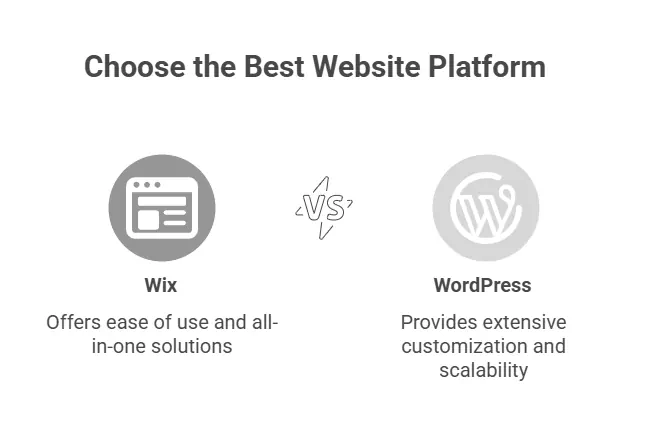
Both WordPress vs Wix offer affordable entry points, but the way their costs scale over time is entirely different. Wix follows a subscription model, while WordPress operates more like an ownership model — meaning you pay for hosting, themes, and plugins, but you fully control every aspect of your site.
Wix Pricing
Wix offers a free plan — but it’s not viable for a professional business. It includes Wix ads and doesn’t allow a custom domain.
Most small businesses upgrade to one of Wix’s premium plans, typically:
- Business Basic: around £13/month – suitable for small sites or portfolios.
- Business Unlimited: about £20/month – adds more storage and tools.
- Business VIP: roughly £30/month – includes priority support and advanced features.
However, the real costs start to climb when you add paid apps (like booking systems, advanced analytics, or email marketing integrations). For many growing businesses, monthly costs can reach £40–£60 with add-ons.
WordPress Pricing
The WordPress software itself is free — but you’ll need hosting and a domain.
Typical costs for small to medium-sized businesses in 2025 include:
- Hosting: £1–£25/month depending on provider (e.g., CloudXpie, SiteGround, Hostinger).
- Domain: around £10–£15/year.
- Premium themes or plugins (optional): £20–£100 one-time or annually.
The advantage is control and scalability — you can start small and upgrade as you grow, without being locked into rigid pricing tiers. A well-optimised WordPress setup can often run for less than Wix over the long term while offering far more flexibility.
Pro Insight: Businesses that start on Wix for £15/month often end up spending double that within a year as they add apps and storage. Meanwhile, WordPress users can scale hosting or features only when needed — making it far more cost-efficient for long-term growth.
Ease of Use: Speed vs Scalability
If you’re new to website building, Wix instantly feels like the easier choice. Its drag-and-drop editor works just like rearranging blocks in PowerPoint — you see your design come to life instantly. You can create a clean, functional website in a single afternoon without touching a line of code.
That simplicity is why so many entrepreneurs choose Wix for their first website. But as your business grows, the same simplicity can become a limitation.
WordPress, on the other hand, has a steeper learning curve at first. Its interface — especially the Gutenberg block editor — takes a few hours to get comfortable with. But the trade-off is power and flexibility. You can integrate advanced SEO tools, automate marketing, or add booking systems — things Wix can only offer through paid apps or limited integrations.
Market Insight (2025): A 2024 global survey by Web Almanac found that over 68% of small business owners who started on Wix migrated to WordPress within two years, citing “limitations in customization and SEO control” as the primary reasons.
That migration trend reflects a key truth: Wix is built for simplicity, while WordPress is built for scalability.
So if you’re building a one-off portfolio or short-term landing page, Wix is a quick win.
But if you’re planning to build a brand that evolves — adding features, content, or new functionality — WordPress offers the headroom you’ll eventually need.
Pro Tip from DataXpie: Many of our clients start on Wix, then switch to WordPress once they want to integrate tools like CRM systems or eCommerce. We make that migration seamless — without losing SEO rankings or existing content.
Design Flexibility & Creative Control
When it comes to design, both platforms shine — but in very different ways.
Wix provides over 900 pre-designed templates, each polished and responsive. You can drag, drop, and rearrange elements visually without any code. However, there’s a catch: once you choose a Wix template, you can’t switch to another one without rebuilding the entire site. That can be frustrating when your brand evolves and you want a fresh look.
WordPress, in contrast, is practically limitless. It offers thousands of free and premium themes, many of which can be deeply customised using page builders like Elementor, Divi, or the native Gutenberg blocks.
You can change themes anytime, fine-tune CSS, or even create a completely custom layout from scratch. The creative control is total — which is why designers and developers worldwide favour WordPress for serious brand-building.
Wix is like buying a ready-made shop in a mall — easy to move in but hard to remodel. WordPress is like owning your building — you can knock down walls, add floors, and expand as your vision grows.
Future-Proof Design Matters
In 2025, design flexibility isn’t just about aesthetics — it’s about conversion. Businesses need adaptive landing pages, dynamic content blocks, and A/B testing features to boost sales and leads. WordPress’s open ecosystem allows you to plug in tools like OptinMonster, HubSpot, or Google Optimize directly into your theme — something Wix can’t fully replicate.
💼 DataXpie Insight:
“At DataXpie, we often rebuild Wix sites in WordPress for clients who’ve outgrown template restrictions. Our team blends creative design with technical SEO — ensuring each redesign not only looks modern but performs better in search and conversion metrics.”
Feature Ecosystem: Apps vs Plugins
When your business starts to grow, your website needs to grow with it — adding booking systems, chat widgets, marketing automation, or CRM tools. This is where the difference between Wix’s apps and WordPress’s plugins becomes crystal clear.
Wix Apps: Simplicity with Limits
Wix offers around 500+ apps in its App Market, covering most essential needs — contact forms, social feeds, email marketing, and eCommerce integrations. They’re simple to install and use, but many come with monthly subscription fees, and customization options are limited.
You can connect tools like Mailchimp, Google Analytics, or HubSpot, but integrations tend to be more surface-level than deeply integrated workflows.
WordPress Plugins: The Powerhouse of Possibilities
WordPress operates on an open-source ecosystem with over 59,000 plugins (and countless premium ones). Need to add live chat, subscription models, or multilingual support? There’s a plugin for that — and most are free or one-time purchases.
The real advantage is integration depth: plugins interact seamlessly with your database, giving you full control over data, automation, and functionality. You can even combine plugins to create completely custom workflows.
Pro Tip from DataXpie: At DataXpie, we often configure WordPress sites with a stack of hand-picked plugins — like RankMath for SEO, WooCommerce for sales, and FluentCRM for marketing — to build complete growth systems without the high ongoing costs of third-party apps.
SEO & Marketing Power: Where Growth Happens
If your business depends on online visibility, SEO is not just another feature — it’s your growth engine. And this is where WordPress consistently outperforms Wix.
WordPress: SEO Without Limits
WordPress gives you complete control over every SEO element — URLs, meta tags, schema markup, sitemaps, site structure, and speed optimization. With plugins like Yoast SEO, RankMath, and AIOSEO, you can fine-tune your content strategy for maximum visibility.
It also integrates naturally with Google Analytics, Search Console, and advanced marketing tools like SEMrush or HubSpot. Beyond the basics, WordPress lets you optimize for Core Web Vitals, a critical 2025 ranking factor that affects how Google measures user experience.
Wix: Decent, But Still Limited
Wix has made major improvements in recent years — you can edit titles, meta descriptions, and alt text, and even get built-in SEO prompts. However, it still struggles with:
- Limited URL structure control
- Slower load speeds on larger sites
- Restricted schema customization
- Dependence on built-in SEO settings rather than true flexibility
2025 Insight: According to Backlinko’s 2025 CMS Performance Study, WordPress sites load 42% faster on average and receive 23% higher organic traffic than Wix sites in similar categories.
eCommerce & Growth Scalability
For growing businesses, eCommerce isn’t just about selling products — it’s about managing customers, scaling inventory, and expanding globally. Let’s see how both platforms perform here.
Wix eCommerce: Great for Starters
Wix offers integrated eCommerce in its Business plans. You can add products, set up payment gateways, and track orders directly in your dashboard. It’s ideal for small stores or service providers who just need a clean, functional shopfront.
However, as sales grow, limitations appear:
- Transaction fees on certain payment methods
- Restricted multi-currency or multilingual support
- Limited API access for custom integrations
- Difficulty scaling inventory beyond a few hundred products
In short, Wix handles simplicity beautifully — but struggles with complex setups or rapid scaling.
WordPress + WooCommerce: Built for Growth
Pair WordPress with WooCommerce, and you unlock an eCommerce powerhouse. WooCommerce is free to install and integrates deeply into your website, giving you full control over:
- Payment gateways (PayPal, Stripe, Klarna, etc.)
- Subscriptions, memberships, and digital downloads
- Multi-currency and regional pricing
- Tax automation and shipping extensions
Most importantly, there are no platform transaction fees, and you can scale infinitely — from 10 products to 10,000 — without being boxed in by pricing tiers.
Data Ownership & Portability
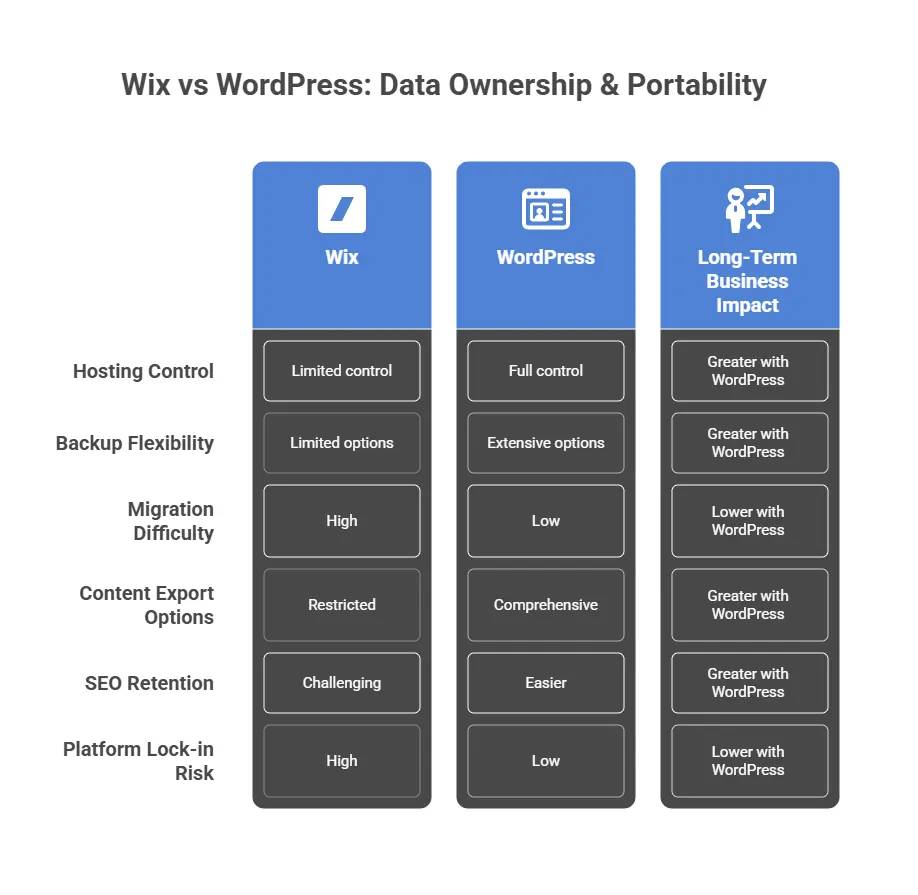
In the modern digital landscape, owning your website data is not just a technical detail — it’s a business asset. Whether it’s customer information, SEO history, or analytics, how easily you can move or back up your site determines your flexibility and long-term control.
Wix: Convenience Comes with Lock-In
Wix hosts everything on its own servers — which means your website, database, and content are tied to their system. You can export basic elements like blog posts (in XML format), but you can’t fully export or migrate your entire site. Design layouts, apps, and functionality remain locked inside the Wix ecosystem.
If you decide to leave Wix, you’ll often need to rebuild your site from scratch on a new platform.
WordPress: Full Control and True Portability
WordPress is self-hosted, which means you own your site and all its data. You can back up your full database, content, themes, and plugins anytime. If your hosting provider changes, you can migrate your entire site in hours, not weeks.
This level of control gives business owners freedom and security — the ability to adapt, scale, or rebrand without technical restrictions.
Maintenance & Security: Who Holds the Keys
Every website needs maintenance — from security patches and updates to backups and speed optimisation. The key difference between WordPress vs Wix lies in who handles it.
Wix: Fully Managed, Minimal Responsibility
With Wix, everything from hosting to security to updates is handled automatically by their system.
For business owners who want zero maintenance, this is ideal — no need to worry about updates, malware, or backups. However, this simplicity comes at a cost: you have limited control over how your site is secured, what software runs it, and how fast it can adapt to changing needs.
WordPress: More Responsibility, More Power
WordPress requires active maintenance — plugin updates, backups, and security checks. But that also gives you total control over your protection level.
You can use top-tier tools like Wordfence, Sucuri, or Cloudflare, integrate automatic daily backups, and even run staging environments for safe testing.
For growing businesses, this flexibility ensures long-term security and adaptability — especially when supported by an expert team.
Verdict: Wix removes technical headaches, but WordPress offers custom security and growth freedom when professionally managed — the smarter long-term option for serious businesses.
Real Business Stories: The Migration Moment
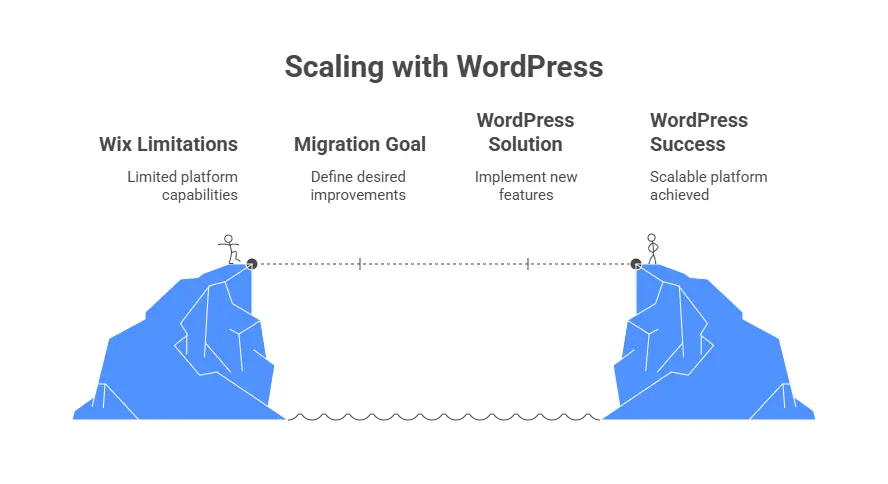
Sometimes the best way to understand these platforms is to see how real businesses use them. Here are a few realistic case-style examples inspired by 2024–2025 migration trends observed across global small businesses.
Case 1: The Local Café That Needed More
Emma, owner of a London-based café, started her website on Wix in 2022. It looked great and was easy to update, but when she wanted to add online ordering and loyalty points, Wix’s app fees quickly increased her monthly cost from £18 to nearly £50.
In 2024, she migrated to WordPress + WooCommerce with help from DataXpie. Her site now handles online orders, customer accounts, and newsletter signups — all for a lower monthly cost and better SEO rankings.
Case 2: The Consultancy Scaling Internationally
A small digital consultancy began on Wix to test the market. When they expanded to new regions in 2025, they needed multilingual content, automated lead tracking, and CRM integration. Wix couldn’t support their workflow.
With DataXpie’s custom WordPress solution, they launched a multilingual site integrated with HubSpot CRM and Google Analytics 4, cutting their manual admin work by 60%.
Case 3: The Nonprofit Upgrading for Transparency
A UK-based charity needed a platform that could handle donations, event listings, and blog storytelling. Wix limited their donation gateway options and didn’t allow advanced tracking.
Migrating to WordPress with DataXpie allowed them to add full donation tracking, automated receipts, and rich blog layouts — while maintaining full ownership of donor data.
Choosing the Right Platform for Your Business
Both WordPress vs Wix have come a long way, and in 2025, both can help you build an impressive online presence.
But the best choice depends on your business stage, goals, and growth ambition.
Choose Wix If You Want:
- A simple, no-code website up and running in hours
- Prebuilt templates and an all-in-one dashboard
- Zero maintenance responsibilities
- Minimal features — ideal for personal brands, small local shops, or freelancers
Choose WordPress If You Need:
- Custom design freedom without long-term platform lock-in
- Powerful SEO tools for visibility and scalability
- Advanced functionality — eCommerce, membership, bookings, CRM
- Full control over your data, backups, and performance
- A platform that can scale with your business for years
In short: Wix is for starting. WordPress is for growing.
SEO Insight (Global, 2025): WordPress powers over 43% of all websites worldwide, while Wix holds about 2%. The long-term stability, developer community, and plugin ecosystem give WordPress a clear edge for serious online growth.
Why Partner with DataXpie
At DataXpie, we don’t just build websites — we build digital growth engines.
We’ve seen hundreds of startups and small businesses face the same challenge:
They outgrow Wix or template platforms but don’t have the technical know-how to migrate efficiently. That’s where we come in.
Our WordPress Advantage
- Migration Expertise: Seamless move from Wix, Squarespace, or Shopify to WordPress — with zero data loss and full SEO retention.
- Performance First: Every site we build is lightweight, fast, and Core Web Vitals–optimized.
- Full Ownership: You keep 100% of your website data, files, and access.
- Managed Hosting & Care: We offer optional maintenance plans that handle updates, security, and backups — just like Wix, but better.
- Conversion Design: Every page we craft is UX-tested and conversion-focused to help you turn traffic into clients.
Conclusion: The Smart Move for Sustainable Growth
When you’re just starting, Wix feels like freedom — but as your business grows, it can quickly become a limitation.
On the other hand, WordPress is built for growth, giving you the control, flexibility, and scalability your brand deserves. WordPress vs Wix
If your business goals include:
- Expanding to new markets
- Boosting SEO performance
- Customizing your website beyond templates
- And keeping full ownership of your digital assets
Then it’s time to make the smart, future-proof move — with WordPress and DataXpie.
Your Next Step: Schedule a free website review with our WordPress migration experts.
We’ll analyze your current Wix site and show you how to cut costs, boost traffic, and unlock full potential on WordPress.
CTA example: Get Your Free Website Growth Audit Today